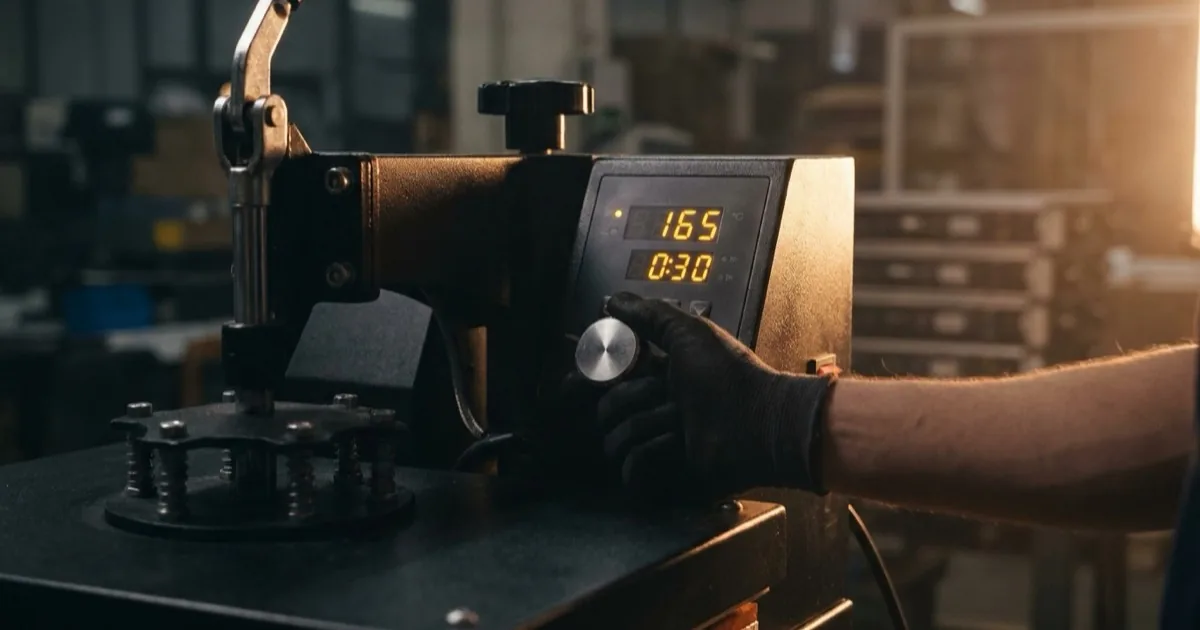
DTF Press Settings, Transfer Sizes & Application Guide
The complete DTF press settings reference for cotton, polyester, blends, and performance fabrics. Includes temperature, time, and pressure charts, hot peel vs cold peel instructions, DTF transfer sizes by shirt size, and troubleshooting tips.

DTF Press Settings, Transfer Sizes & Application Guide
DTF press settings vary by fabric type, but the standard starting point for most cotton garments is 300–330°F (150–165°C) for 10–15 seconds at medium-firm pressure with a cold peel. Getting these settings right is the difference between transfers that last 50+ washes and transfers that crack or peel after the first laundry cycle. This guide covers settings for every common fabric, hot peel vs cold peel, recommended transfer sizes per garment, and what to do when things go wrong.DTF Press Settings by Fabric Type
| Fabric | Temperature | Time | Pressure | Peel Method |
|---|---|---|---|---|
| 100% Cotton | 300–330°F (150–165°C) | 10–15 sec | Medium-firm | Cold peel |
| 100% Polyester | 275–300°F (135–150°C) | 10–12 sec | Medium | Cold peel |
| Cotton/Polyester Blend (50/50, 60/40) | 290–310°F (143–155°C) | 10–15 sec | Medium | Cold peel |
| Tri-Blend (Cotton/Poly/Rayon) | 290–310°F (143–155°C) | 10–12 sec | Medium | Cold peel |
| Nylon | 275–290°F (135–143°C) | 8–10 sec | Light-medium | Cold peel |
| Performance/Dri-Fit | 270–290°F (132–143°C) | 8–10 sec | Light-medium | Cold peel |
| Leather/Faux Leather | 250–275°F (120–135°C) | 8–10 sec | Light | Cold peel |
| Canvas/Duck Cloth | 310–330°F (155–165°C) | 12–15 sec | Firm | Cold peel |
| Denim | 310–330°F (155–165°C) | 12–15 sec | Firm | Cold peel |
| Fleece/Sweatshirt | 300–320°F (150–160°C) | 12–15 sec | Medium-firm | Cold peel |
- Always test on a scrap piece of the same fabric before pressing a production garment
- These settings are general guidelines — your specific DTF film and powder brand may recommend different settings
- Pre-press the garment for 3–5 seconds to remove moisture before applying the transfer
Hot Peel vs Cold Peel DTF Transfers
What Is Cold Peel?
Cold peel means you wait for the transfer to cool completely to room temperature before peeling the PET film away from the garment. Most DTF transfers are designed for cold peel. Cold peel produces:- Matte finish
- Better adhesion on textured fabrics
- Lower risk of pulling ink off the garment
- More forgiving for beginners
What Is Hot Peel?
Hot peel means you remove the PET film immediately after pressing, while the transfer is still hot. Some DTF films and suppliers specify hot peel for their transfers. Hot peel produces:- Slightly glossy, smoother finish
- Faster production speed (no cooling wait time)
- Works best on smooth, tight-weave fabrics
- Requires more precise timing and technique
Which Should You Use?
Use the peel method specified by your DTF film or transfer supplier. If no method is specified, default to cold peel — it is more forgiving and produces reliable adhesion across fabric types. Some suppliers offer films that support both methods, letting you choose the finish you prefer.DTF Transfer Sizes for Shirts
Choosing the correct transfer size for each garment size ensures a proportional, professional look. Here are the recommended maximum transfer dimensions:
Front Chest Placement
| Shirt Size | Max Transfer Width | Max Transfer Height | Distance from Collar |
|---|---|---|---|
| Adult S | 10" | 10" | 3" |
| Adult M | 11" | 11" | 3–3.5" |
| Adult L | 11" | 12" | 3–3.5" |
| Adult XL | 12" | 13" | 3.5–4" |
| Adult 2XL | 13" | 14" | 3.5–4" |
| Adult 3XL | 13" | 14" | 4" |
| Adult 4XL–5XL | 14" | 15" | 4–4.5" |
| Youth S | 7" | 7" | 2.5" |
| Youth M | 8" | 8" | 2.5–3" |
| Youth L–XL | 9" | 9" | 3–3.5" |
| Toddler 2T–5T | 5–7" | 5–7" | 2–2.5" |
- Standard size: 3.5" x 3.5" to 4" x 4"
- Position: 7–9" from collar, 4–5" from center fold
- Consistent across S–XL (scale down for youth)
Back Placement
- Same widths as front chest
- Position 3–4" below the back collar seam
- Center horizontally on the garment
DTF Sizing Summary
The table above provides recommended maximum dimensions for DTF transfers sized to each shirt size. Matching the DTF sizing for shirts to the garment ensures a proportional, professional look. Undersized transfers look lost on larger garments, while oversized transfers crowd the available space and may wrap onto seams. Always measure the actual garment before finalizing transfer dimensions — cut styles, shoulder widths, and neck openings vary between brands.Pre-Press and Post-Press Best Practices
Pre-Press Steps
- Remove moisture: Pre-press every garment for 3–5 seconds before applying the transfer. Moisture trapped in the fabric causes bubbling, poor adhesion, and uneven transfers.
- Smooth the surface: The pre-press also removes wrinkles and seam creases from the press area.
- Lint-roll the garment: Remove loose fibers that can get trapped under the transfer.
- Position carefully: Use a placement ruler or laser alignment tool to center the transfer consistently. See the heat transfer placement guide for exact measurements across all garment sizes.
Post-Press Steps
- Cool completely (for cold peel): Wait 15–30 seconds or until the transfer is cool to the touch.
- Peel slowly: Pull the PET film back at a 45-degree angle in one smooth motion. Do not yank or pull straight up.
- Post-press with parchment: Place a sheet of parchment paper (not wax paper) over the peeled transfer and press again for 5–10 seconds at the same temperature. This smooths the surface and improves adhesion.
- Inspect the transfer: Check edges and fine details for lifting. If any area did not adhere, re-press with parchment for an additional 5 seconds.
DTF Press Troubleshooting
Transfer Is Not Sticking
- Temperature too low: Increase by 5–10°F and test again
- Pressure too light: Increase to medium-firm
- Moisture in garment: Pre-press for 5 seconds before applying
- Expired or improperly stored transfer: Check storage conditions (cool, dry, flat)
Transfer Is Cracking After Washing
- Temperature too high: Lower by 10°F — over-pressing can make the adhesive brittle
- Pressure too heavy: Excessive pressure can flatten the adhesive layer too much
- No post-press: Always post-press with parchment to lock the transfer
- Wash care: Wash inside out, cold water, tumble dry low
Colors Appear Faded or Washed Out
- Insufficient white ink underbase: This is a printing issue, not a pressing issue. Contact your transfer supplier.
- Film placed upside down: The ink side of the film must face the garment
- Over-pressing: Extended time or excessive temperature can yellow white ink
Dye Migration on Polyester
- Temperature too high: Polyester dye migrates at temperatures above 310°F. Lower to 275–290°F.
- Time too long: Reduce to 8–10 seconds for polyester
- Use a dye-migration-resistant film: Some DTF films are formulated to resist dye bleed on polyester
Edges Lifting or Peeling
- Peeled too early: Wait for complete cooling before peeling
- Peeled too fast: Remove film slowly at a 45-degree angle
- Design has very fine edges: Fine lines and small text at the edges of a design are more prone to lifting. Post-press with parchment to re-seal.
Frequently Asked Questions
What DTF temp do you press transfers at?
For cotton, press at 300–330°F (150–165°C) for 10–15 seconds. For polyester, lower the temperature to 275–300°F (135–150°C) for 10–12 seconds. Always follow the specific instructions provided by your DTF film or transfer supplier.Are DTF transfers hot peel or cold peel?
Most DTF transfers are cold peel. Wait for the transfer to cool completely before removing the PET film. Some DTF films support hot peel for a glossier finish. Check with your supplier for the recommended peel method.What size DTF transfer fits a large adult t-shirt?
For an adult large, the recommended maximum front chest transfer is approximately 11 inches wide by 12 inches tall, positioned 3–3.5 inches below the collar seam. Scale down for smaller sizes and up for 2XL and above.Do you need to post-press DTF transfers?
Post-pressing is recommended but not always required. Pressing with parchment paper for 5–10 seconds after peeling the PET film smooths the transfer surface and improves long-term adhesion. It takes seconds and significantly reduces the risk of edge lifting.Can you press DTF transfers with an iron?
A household iron is not recommended for DTF transfers. Irons cannot maintain consistent temperature or provide even pressure across the entire design. A heat press ($300–$1,500) is required for reliable, professional-quality DTF application.Choosing the Best DTF Heat Press
Selecting the best DTF heat press is critical for consistent transfer quality. Look for these features when shopping for a heat press:
- Even heat distribution: The platen should maintain uniform temperature across the entire surface. Hot spots cause uneven adhesion.
- Digital temperature controls: Accurate to within 5°F for precise DTF transfer temperature and time settings.
- Adjustable pressure: Medium-firm pressure is standard for DTF, but you need adjustability for different fabric weights.
- Timer with auto-open: Prevents over-pressing, which causes yellowing and brittleness.
Popular Heat Press Options for DTF
A 15x15-inch press handles most adult garment transfers. The Heat Press Nation 15x15 is a popular mid-range option that provides consistent temperature accuracy and even pressure distribution. For high-volume shops, a 16x20-inch press accommodates larger transfers without repositioning.Heat Transfer Pillow
A heat transfer pillow is an essential accessory for DTF application. Place the pillow inside the garment beneath the press area to raise the surface above zippers, seams, buttons, and collars. This ensures even contact between the heat platen and the transfer, preventing seam marks and uneven adhesion. Heat transfer pillows come in multiple sizes — use a smaller pillow for sleeve and left-chest prints, and a larger pillow for full-front transfers.V-Neck Decal Placement
Applying DTF transfers to V-neck shirts requires adjusted placement compared to crew neck garments. The V-shaped neckline creates a lower starting point for the design:
- Center the design horizontally as with any shirt
- Measure from the bottom of the V, not from the shoulder seam — typically position the top of the design 2–3 inches below the lowest point of the V
- Reduce transfer height slightly for V-necks to prevent the design from extending too far down the torso
- Use a DTF shirt size chart to confirm proportional sizing — V-neck shirts often have a slimmer fit, so transfers may need to be 0.5–1 inch narrower than crew neck placements
How to Apply DTF Transfers Step by Step
If you are new to DTF and wondering how to apply DTF transfers, here is a quick summary of the complete process using DTF transfer paper:
- Pre-press the garment for 3–5 seconds to remove moisture and wrinkles
- Position the DTF transfer paper face-down on the garment (ink side touching the fabric)
- Press at the correct DTF transfer temperature and time for the fabric type (see chart above)
- Wait for the transfer to cool completely (cold peel) or peel immediately (hot peel) per your supplier's instructions
- Post-press with parchment paper for 5–10 seconds to lock the adhesion
Understanding how to use DTF transfer paper correctly — including proper orientation, temperature, and peel method — is the difference between a professional result and a failed transfer. How long do you press DTF transfers? For most cotton garments, 10–15 seconds at 300–325°F is the standard starting point.
Tags
About the Author
DTF Database Founder
Darrin DeTorres has over 10 years of experience in the print industry, specializing in screen printing, sublimation, embroidery, HTV, and DTF printing. He runs Notice Me Marketing and Media, a custom apparel production company that prints thousands of shirts per month.
More from Tutorials
Large window clings and magnetic products are specialty printing applications that complement UV DTF sticker and decal businesses. This guide covers window cling types, magnetic sheet printing, application techniques, and how they fit into a DTF-based product lineup.
Can you iron leather? This guide covers heat transfer methods on leather, faux leather, and alternative materials including DTF and HTV application techniques, temperature considerations, and which materials work best.
Explore DTF Database
Browse and compare 20+ verified DTF printer models by price, features, and specifications.
Read moreCalculate your per-print costs, profit margins, and ROI for DTF printing.
Read moreBrowse verified DTF suppliers for ink, film, powder, and equipment.
Read moreStep-by-step guide to the DTF printing process with temperatures and troubleshooting.
Read moreDefinitions for DTF printing terminology and technical terms.
Read moreFast-shipping DTF supplies when production cannot wait.
Read more