Free Design Tools for DTF Printing: Background Removers, Editors, and Templates
You do not need expensive software to create DTF-ready designs. Free tools like Canva, GIMP, Inkscape, and online background removers can produce professional artwork for DTF transfers. This guide covers the best free tools and how to create DTF designs from scratch.

Free Design Tools for DTF Printing: Background Removers, Editors, and Templates
You do not need expensive software to create DTF-ready designs. Free tools like Canva, GIMP, Inkscape, and online background removers can produce professional-quality artwork ready for DTF printing. This guide covers the best free design tools, how to create DTF designs from scratch, and where to find free DTF design resources.What Are the Best Free Design Tools for DTF?
Canva (Browser-Based)
- Type: Raster and basic vector editing
- Best for: Quick designs, social media graphics, t-shirt mockups
- DTF output: Export as PNG at 300 DPI with transparent background
- Features: Thousands of templates, drag-and-drop interface, text effects, photo editing
- Cost: Free tier is sufficient for most DTF design work. Pro tier adds background remover and premium assets.
GIMP (Desktop — Windows, Mac, Linux)
- Type: Full raster image editor (Photoshop alternative)
- Best for: Photo editing, complex raster designs, image manipulation
- DTF output: Export as PNG with alpha transparency at 300 DPI
- Features: Layers, masks, filters, color adjustment, and full photo editing toolkit
- Cost: Completely free and open source
Inkscape (Desktop — Windows, Mac, Linux)
- Type: Vector graphics editor (Illustrator alternative)
- Best for: Logos, text-based designs, scalable illustrations
- DTF output: Export as PNG at custom DPI with transparent background
- Features: Full vector editing, text on path, SVG editing, clipping, and node editing
- Cost: Completely free and open source
Photopea (Browser-Based)
- Type: Photoshop clone that runs in the browser
- Best for: Users who know Photoshop but do not want to pay for it
- DTF output: Export as PNG with transparency
- Features: PSD file support, layers, masks, filters — nearly identical to Photoshop's interface
- Cost: Free (ad-supported)
Which Free Background Removers Work for DTF Designs?
A transparent background is essential for DTF designs — without it, you will have a visible white or colored box around your design on the garment. These tools remove backgrounds for free:
Cricut Background Remover (Free in Design Space)
- Built into Cricut Design Space (free to use even without a Cricut machine)
- Works well for simple backgrounds with clear contrast
- Limitations: Struggles with complex backgrounds or similar-colored subjects
Remove.bg
- AI-powered background removal
- Produces clean cutouts in seconds
- Free for standard resolution (up to 0.25 megapixels)
- Paid for full resolution
Canva Background Remover
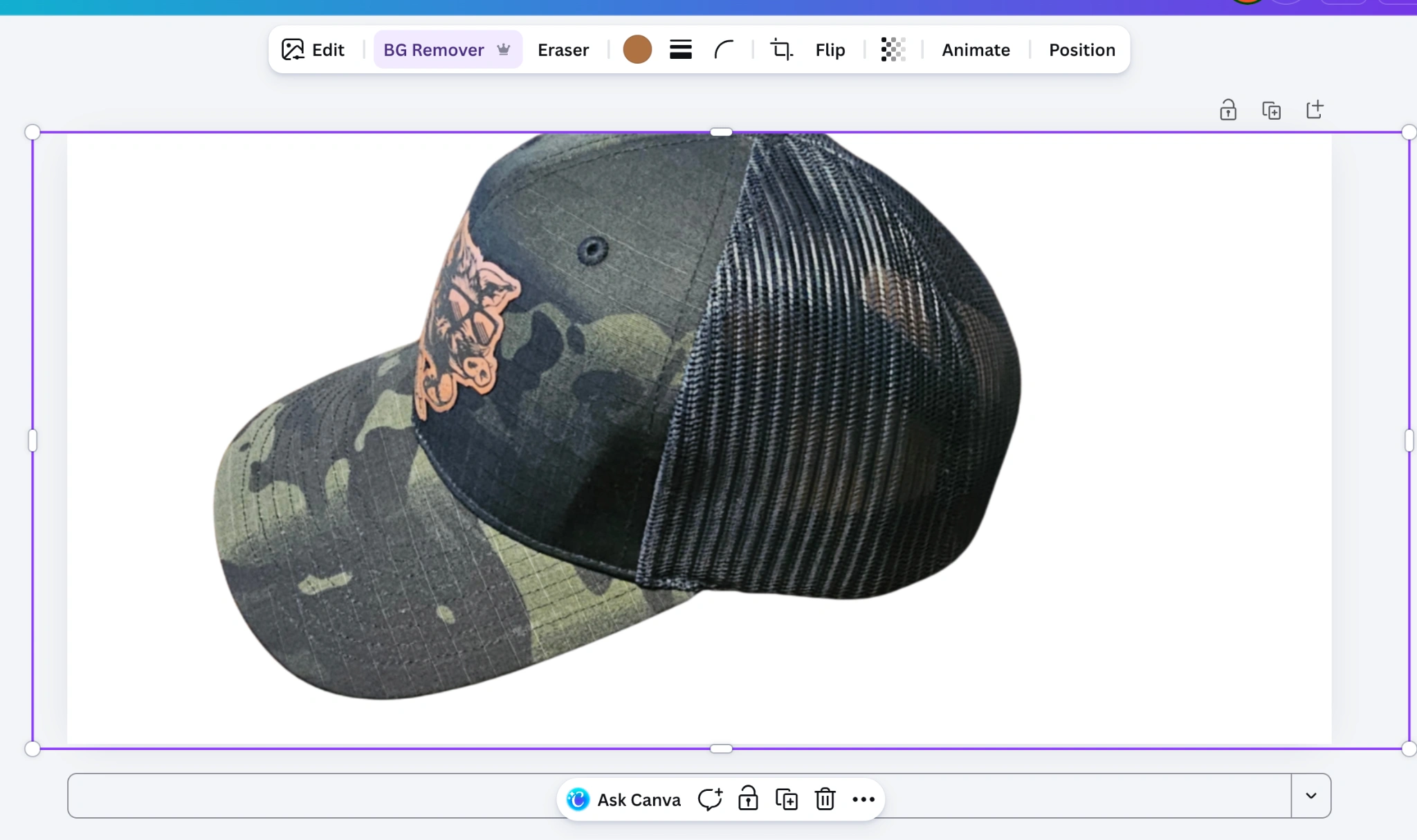
Canva's built-in background remover uses AI to remove backgrounds from images with one click. The tool is available in the Canva Pro tier, but a free trial is available for new users.!Canva background remover tool for DTF design preparation
Other Free Options
- PhotoRoom — Mobile app with free background removal
- GIMP — Manual background removal using selection tools (more control, more effort)
How to Create DTF Designs: Step by Step
Starting from Scratch
- Choose your tool — Canva for quick designs, GIMP for photo-heavy work, Inkscape for vector logos
- Set your canvas — Create a new file at 300 DPI with a transparent background. Size it to your target transfer dimensions (e.g., 12" x 14" for a full-front design)
- Design your artwork — Add text, graphics, photos, and effects
- Remove any background — Ensure the background is transparent (checkered pattern in most editors)
- Export as PNG — Save as PNG format to preserve the transparent background. JPEG does not support transparency.
Using Existing Artwork
- Find or purchase a design — Stock graphics, purchased design bundles, or customer-provided artwork
- Remove the background — Use a background remover tool if the design has a colored background
- Resize to print dimensions — Scale to the desired transfer size at 300 DPI
- Export as PNG — Transparent background, 300 DPI
Where Can You Find Free DTF Design Resources?
Where to Find Free Designs
- Canva: Free templates and graphics (check licensing for commercial use)
- Freepik: Free vectors and illustrations (attribution required on free tier)
- Pixabay: Free photos and illustrations for commercial use
- Creative Fabrica: Free daily downloads of craft-friendly designs
Important: Licensing
Free does not always mean free for commercial use. Always check the license before selling products with free graphics:- Personal use only — Cannot sell products using this design
- Commercial license — Can use in products for sale
- Attribution required — Must credit the creator
Frequently Asked Questions
How do I create DTF designs for free?
Use free tools like Canva (browser-based), GIMP (photo editing), or Inkscape (vector graphics) to create your designs. Set your canvas to 300 DPI with a transparent background, create your artwork, and export as a PNG file.What is the best free background remover for DTF designs?
Remove.bg and the Cricut background remover in Design Space are both free options. Remove.bg uses AI for quick, clean cutouts. The Cricut tool works well for simple images with clear contrast between subject and background.Can I use Canva to make DTF designs?
Yes. Canva can produce DTF-ready designs. Create a custom-size canvas at your desired print dimensions, design your artwork, ensure the background is transparent, and export as PNG at 300 DPI. The free tier works for most DTF design needs.Are there free DTF design files available?
Some websites offer free DTF-ready design files (PNG with transparent backgrounds). Check sites like Creative Fabrica (free daily downloads), Freepik (attribution required), and Canva templates. Always verify the license allows commercial use before selling products.Do I need Photoshop for DTF designs?
No. Free alternatives like GIMP (desktop) and Photopea (browser) provide nearly identical functionality to Photoshop for DTF design creation. Both support layers, masks, transparency, and export to PNG at 300 DPI.DTF Design Software
DTF design software refers to any application used to create artwork for DTF transfers. There is no single dedicated "DTF design software" — instead, DTF printers use a combination of design tools and RIP (Raster Image Processor) software:
Design Creation Software
- Adobe Illustrator / Photoshop — Industry standard for professional designers
- CorelDRAW — Popular in the sign and garment printing industry
- Canva — Browser-based, beginner-friendly, free tier available
- GIMP / Inkscape — Free open-source alternatives to Photoshop and Illustrator
- Photopea — Free browser-based Photoshop alternative
RIP Software for DTF Printers
RIP software is specific to DTF printing — it controls white ink underbase, color management, and print queue:- Maintop — Common with Chinese DTF printers
- Cadlink Digital Factory — Professional RIP for Epson-based DTF setups
- Flexi / SAi — Used with Roland and Mutoh printers adapted for DTF
- AccuRIP — Popular for screen printing film output, adaptable for DTF
For most DTF transfer businesses that order from suppliers rather than printing themselves, only the design creation software matters. Export your artwork as a 300 DPI PNG with a transparent background and submit it to your DTF supplier.
Tags
About the Author
DTF Database Founder
Darrin DeTorres has over 10 years of experience in the print industry, specializing in screen printing, sublimation, embroidery, HTV, and DTF printing. He runs Notice Me Marketing and Media, a custom apparel production company that prints thousands of shirts per month.
More from Tutorials
Large window clings and magnetic products are specialty printing applications that complement UV DTF sticker and decal businesses. This guide covers window cling types, magnetic sheet printing, application techniques, and how they fit into a DTF-based product lineup.
Can you iron leather? This guide covers heat transfer methods on leather, faux leather, and alternative materials including DTF and HTV application techniques, temperature considerations, and which materials work best.
Explore DTF Database
Browse and compare 20+ verified DTF printer models by price, features, and specifications.
Read moreCalculate your per-print costs, profit margins, and ROI for DTF printing.
Read moreBrowse verified DTF suppliers for ink, film, powder, and equipment.
Read moreStep-by-step guide to the DTF printing process with temperatures and troubleshooting.
Read moreDefinitions for DTF printing terminology and technical terms.
Read moreFast-shipping DTF supplies when production cannot wait.
Read more