
How to Remove Vinyl or a Print From a Shirt: HTV, Screen Print, DTF and Transfer Paper
How to remove vinyl or a print from a shirt: heat and solvent methods for HTV, cured ink removers for screen print and DTF, and transfer paper removal.
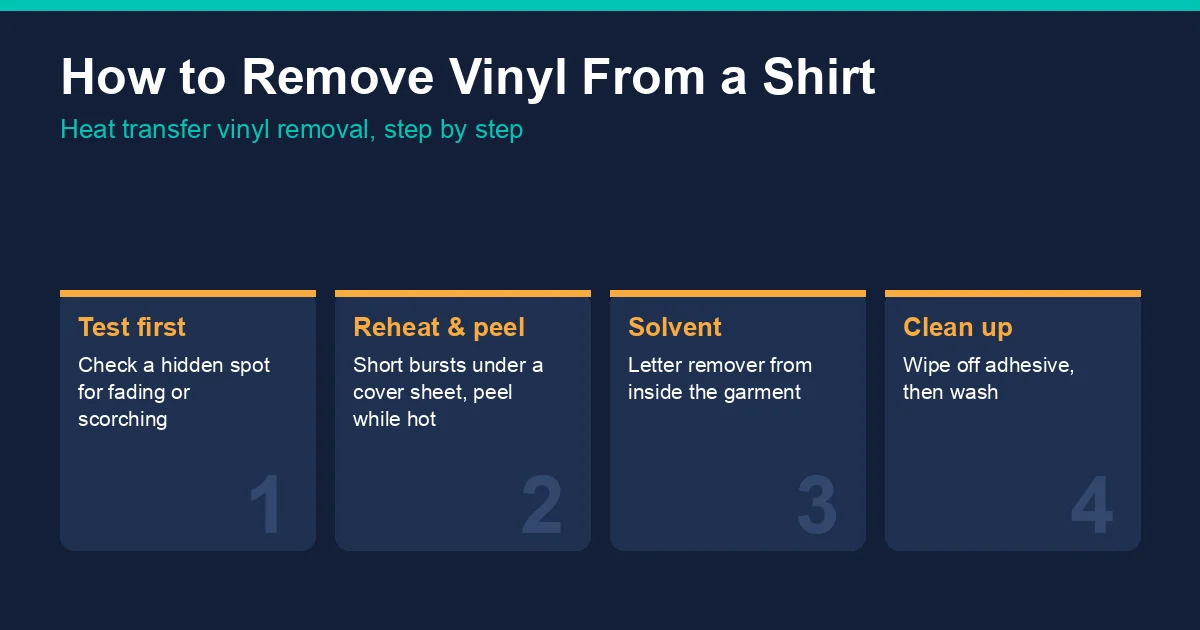
Before you start
- Check the fabric. Cotton and cotton-poly tees tolerate reheating. Polyester performance wear and nylon scorch and glaze easily; the polyester heat pressing guide covers what heat does to them.
- Test colourfastness. Dab a solvent on an inside seam, or press a hidden area, and check that the dye does not lift or change.
- Work in a ventilated space when using any solvent, and follow the label on the product.
Method 1: reheat and peel
- Lay the shirt flat on the heat press or a heat-resistant surface, with the vinyl facing up.
- Cover the vinyl with a cover sheet and apply heat for a few seconds at a time, close to the temperature the vinyl was applied at. The heat press accessories guide covers cover sheet options.
- While the vinyl is still hot, lift a corner with tweezers or a weeding hook and peel it back slowly at a low angle.
- Reheat any section that stops lifting rather than pulling harder, which can stretch the fabric.
- Remove leftover adhesive (see below), then wash the shirt before pressing anything new on that spot.
Heat alone often leaves a ghost of adhesive and works poorly on vinyl that has been washed many times or on layered designs.
Method 2: letter remover solvent
Vinyl makers sell solvents for this job. STAHLS' publishes a method for its Letter Remover Solvent, which it lists for 15 of its CAD-CUT heat transfer materials, including Thermo-FILM, Fashion-FILM, Premium Plus, Flock-II and Glitter Flake:
- Dampen a plain white cloth with the solvent and test it on an inconspicuous area for colour fading.
- Turn the garment inside out and rub the back of the vinyl area with the moistened cloth, shielding any vinyl that should stay.
- Peel the vinyl off from the front.
- Wipe away any adhesive left behind.
- Reapply the corrected design.
For a small accidental application, STAHLS' suggests using a cotton swab instead of a cloth. Use the solvent the vinyl's own maker recommends where one exists, because removers are matched to specific adhesives.
Removing leftover adhesive
Leftover adhesive shows as a shiny or stiff patch. Wipe it with the remover solvent or a cloth while the area is warm, working from the outside of the patch inwards, then launder the shirt. Any residue left under a new transfer weakens its bond, so clean the area fully before reprinting.
How to remove a print from a shirt
Prints other than vinyl are harder to remove, and the products made for them are shop chemicals rather than household cleaners. Wear the protection the product's label and safety data sheet call for, work with ventilation, and test on a hidden area first.
| Print type | Published removal method |
|---|---|
| Screen print (cured plastisol) | Cured ink removers sprayed with a spot cleaning gun, such as Ryonet Ink Erase Cured Ink Spot Remover or AlbaChem S.P.I.F. II Cured Ink Remover |
| DTF transfer | A DTF remover such as AlbaChem DFR Direct to Film Remover, which its listing says breaks down DTF adhesive on cotton, polyester and blends; Ryonet also lists Ink Erase for DTF transfers |
| Inkjet iron-on transfer paper | Reheat method (Avery, below) |
Screen printed ink
Ryonet's Ink Erase is listed for cured plastisol, water-based inks, adhesives, flock, DTG inks and DTF transfers, sprayed from a spot cleaning gun with a clean dry cloth behind the fabric; the listing marks it for industrial use only. AlbaChem's S.P.I.F. II is listed for removing cured plastisol, water-based inks and adhesives from textiles. Lawson's Viper Plastisol Remover is sold for its spot cleaning gun and carries a warning not to use it on nylon jackets. Spot removal works best on small areas and misprints; removing a large print completely is rarely practical.
DTF transfers
DTF prints bond more firmly than most vinyl. AlbaChem sells DFR Direct to Film Remover specifically for DTF transfers. Reheating and peeling sometimes lifts a fresh, unwashed DTF print, but expect residue. Getting the press settings right first time is the safer route; the DTF temperature and time chart lists settings by fabric.
Inkjet transfer paper
Avery publishes a reheat method for its fabric transfers: lay an old cotton towel on a smooth surface, place the shirt image-side down on it, reheat the image with the iron on its highest cotton setting, then separate the shirt from the towel straight away; let it cool and repeat. Avery notes it does not guarantee the image will come off completely.
Avoiding the need to remove vinyl
Most removals start with a mirrored design, a crooked placement or the wrong size. Mirror the cut for HTV, measure placement from the collar seam, and test on a scrap. The placement calculator gives sizes and offsets for every placement, and the Cricut iron-on troubleshooting guide covers peeling and lifting problems.
Frequently asked questions
How do you get vinyl off a shirt without ruining it?
Reheat it in short bursts under a cover sheet and peel while hot, or use a vinyl letter remover solvent from inside the shirt. Test a hidden area first.
Can you remove vinyl from a shirt with an iron?
Yes, on cotton. Iron over a cover sheet for a few seconds at a time and peel the vinyl while it is hot. A heat press gives more even heat.
What removes heat transfer vinyl adhesive?
A vinyl remover solvent wiped over the area, followed by washing. STAHLS' instructions finish with wiping off leftover adhesive after the vinyl is peeled.
How do you remove a screen print from a shirt?
With a cured ink remover sprayed through a spot cleaning gun, such as Ryonet Ink Erase or AlbaChem S.P.I.F. II. These are industrial products; follow the label and test on a hidden area.
Can you reuse vinyl after removing it?
No. Peeled vinyl stretches and loses its adhesive, so cut and press a new design.
Tags
About the Author
DTF Database Founder
Darrin DeTorres has over 10 years of experience in the print industry, specializing in screen printing, sublimation, embroidery, HTV, and DTF printing. He runs Notice Me Marketing and Media, a custom apparel production company that prints thousands of shirts per month.
More from Troubleshooting
Explore DTF Database
Browse and compare 20+ verified DTF printer models by price, features, and specifications.
Read moreCalculate your per-print costs, profit margins, and ROI for DTF printing.
Read moreBrowse verified DTF suppliers for ink, film, powder, and equipment.
Read moreFind DTF transfer suppliers shipping to your state, with verified turnaround times.
Read moreMetro-level DTF supplier guides for Los Angeles, NYC, Dallas, Houston, and more.
Read moreStep-by-step guide to the DTF printing process with temperatures and troubleshooting.
Read more