
Heat Press Repair: Common Problems, What the Warranty Covers and Where to Get Parts
Heat press repair: common faults like no heat, wrong temperature and uneven pressure, what Hotronix and Cricut warranties cover, and when to call the maker.
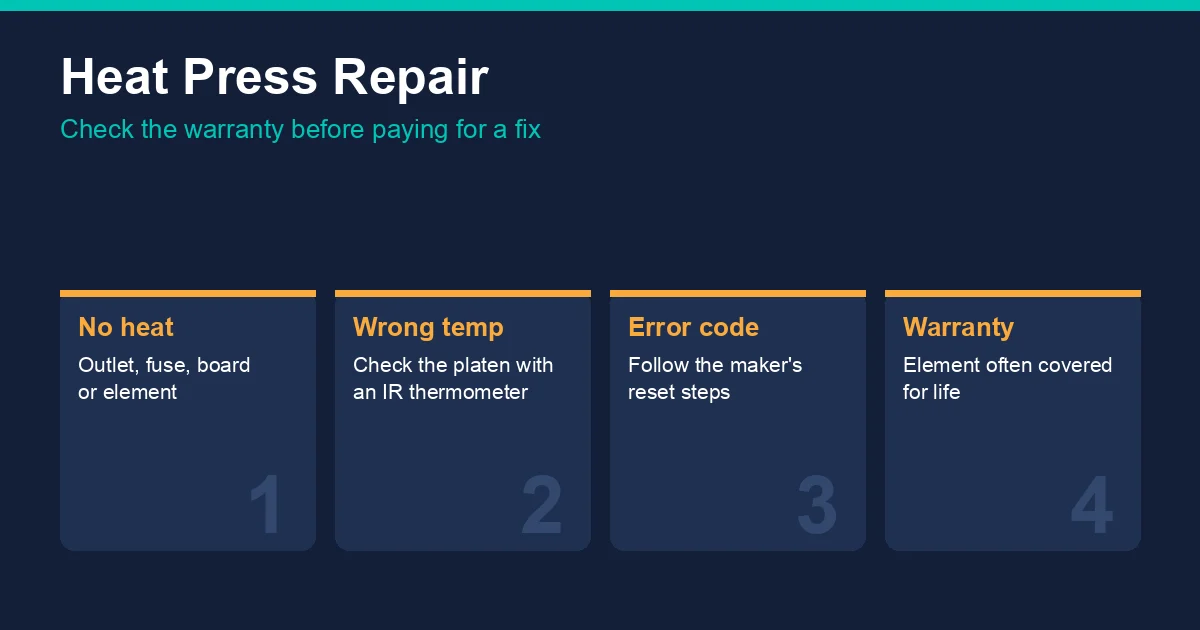
Common heat press problems and what usually causes them
| Symptom | Likely cause | First check |
|---|---|---|
| Press won't heat | Power supply, fuse, controller board or heating element | Plug straight into a wall outlet on its own circuit; reset the press |
| Temperature reads wrong or prints fail | Platen hotter or cooler than the display, or a failing sensor | Measure the platen with an infrared thermometer |
| Uneven results across the print | Uneven pressure, a warped platen or a cold spot | Press a test sheet and look for light patches; check the pressure setting |
| Error code on the display | The press has detected a fault and shut down | Follow the maker's error-code steps (below) |
| Shuts off on its own | Auto-shutoff safety feature after inactivity | Check how long the model waits before shutting off |
An infrared thermometer is the most useful diagnostic tool a decorator can own; the heat press accessories guide covers it, and the heat press temperature guide explains why the display and the platen can disagree.
What heat press warranties cover
Hotronix (STAHLS')
STAHLS' published warranty for new Hotronix presses, as listed in its Canadian equipment warranty reference (dated June 2018) and a Transfer Express post (May 2019), is:
| Part | Coverage, new Hotronix press |
|---|---|
| Heating element | Lifetime |
| Framework | 5 years |
| Circuit board | 2 years |
| Parts and labour | 1 year |
The Hotronix MAXX line carries a lifetime warranty on the heating element and 1 year on parts and labour. Demo and refurbished presses have shorter terms. The Canadian reference says warranties are non-transferable and the press must be registered, so a used press may not carry the original cover. Transfer Express lists free lifetime technical support on 1-800-727-8520. Terms change, so confirm the current warranty with STAHLS' before relying on it.
Cricut EasyPress
Cricut's troubleshooting guide covers the most common EasyPress faults:
- Error code (for example E03) on EasyPress 2, 3 or SE. Return the press to its safety base, unplug it, wait two minutes, then plug it back in and turn it on. If the code returns or the press shuts off early again, contact Cricut Member Care.
- Press keeps turning off. This is usually auto-shutoff: 10 minutes on the original EasyPress, about 13 minutes on EasyPress 2, 3, SE and Mini 3x2, and 15 minutes on the Mini 6x3. The countdown only starts once a new temperature setting has been reached.
- EasyPress 3 shows "APP" or won't power on. It must be activated through the Cricut Heat app before first use.
- Plugged in but won't power on. Cricut directs owners to Member Care.
Can you repair a heat press yourself?
Simple fixes such as a loose plug, a tripped breaker or a pressure adjustment are fine for any owner. Replacing a heating element, thermocouple or controller board means working on mains-voltage wiring and may affect warranty cover, so for a press still under warranty, contact the maker first and ask how it handles the claim. Out of warranty, the maker's own parts department or authorised dealer is the safest source for parts that match the press.
When to replace instead of repair
An older budget press with a failed element or board can cost close to the price of a new press to fix. A press with a lifetime element warranty is usually worth repairing. The heat press buying guide and the best heat press for shirts guide compare current models and warranties.
Frequently asked questions
Why is my heat press not heating?
Check the power first: plug the press into a wall outlet on its own circuit, check any fuse or breaker, and restart it. If it still won't heat, the controller board or heating element may have failed; contact the maker with the model and serial number.
What does the Hotronix warranty cover?
STAHLS' lists a lifetime warranty on the heating element, 5 years on the framework, 2 years on the circuit board and 1 year on parts and labour for new Hotronix presses. MAXX models have a lifetime element warranty and 1 year on parts and labour.
How do you fix an error code on a Cricut EasyPress?
Return it to the safety base, unplug it, wait two minutes and plug it back in. If the error returns, contact Cricut Member Care.
Why does my heat press temperature not match the display?
The display reads the sensor, not the surface touching the garment. Measure the platen with an infrared thermometer; a consistent gap can be allowed for in your settings, but a growing or uneven gap needs the maker's support.
Tags
About the Author
DTF Database Founder
Darrin DeTorres has over 10 years of experience in the print industry, specializing in screen printing, sublimation, embroidery, HTV, and DTF printing. He runs Notice Me Marketing and Media, a custom apparel production company that prints thousands of shirts per month.
More from Troubleshooting
Explore DTF Database
Browse and compare 20+ verified DTF printer models by price, features, and specifications.
Read moreCalculate your per-print costs, profit margins, and ROI for DTF printing.
Read moreBrowse verified DTF suppliers for ink, film, powder, and equipment.
Read moreFind DTF transfer suppliers shipping to your state, with verified turnaround times.
Read moreMetro-level DTF supplier guides for Los Angeles, NYC, Dallas, Houston, and more.
Read moreStep-by-step guide to the DTF printing process with temperatures and troubleshooting.
Read more