
Halloween DTF Transfers: Designs, Sources & Pressing Tips
Halloween DTF transfers explained: how to choose designs, order custom or ready-made, press them on shirts and costumes, and meet the deadline.
What are Halloween DTF transfers?
Halloween DTF transfers are direct-to-film prints of Halloween artwork such as pumpkins, ghosts, skulls, witches and "boo" text, on a clear film with an adhesive powder layer. You place the film on a shirt, press it with heat and pressure, and peel the film away. The result is a soft, full-color print that works on dark shirts, light shirts, cotton and polyester. See what DTF transfer is for the basics.
Ready-made or custom Halloween transfers
| Option | Best for | Trade-off |
|---|---|---|
| Ready-to-press designs | Fast, no artwork needed | Everyone can buy the same design |
| Custom transfers from your art | Teams, run clubs, family costumes | Needs artwork and a longer lead time |
| Gang sheet of several designs | Selling many designs at a market | Layout takes time; best value per design |
Ready-made designs are the fastest route. Custom transfers are the best choice for a group that wants its own name or joke on the design. A gang sheet lets you fit many designs on one sheet, and the gang sheet calculator sizes it. For pricing logic, see the gang sheet optimization guide and fast wholesale transfer suppliers if you are short on time.
Halloween design ideas that sell
- Costume-run shirts: "Boo crew" and themed 5K shirts. See Halloween shirt ideas for costume races.
- Family sets: matching shirts with a shared pun.
- Teachers and school events: class pumpkin patch and spirit-week shirts, covered in the school shirt ideas guide.
- Dark-shirt designs: white and orange artwork shows best on black.
- Pocket prints: a small left-chest graphic for a subtle look.
For other holidays, the seasonal holiday DTF transfers guide and the holiday and seasonal design ideas list what to plan next.
How to press a Halloween DTF transfer
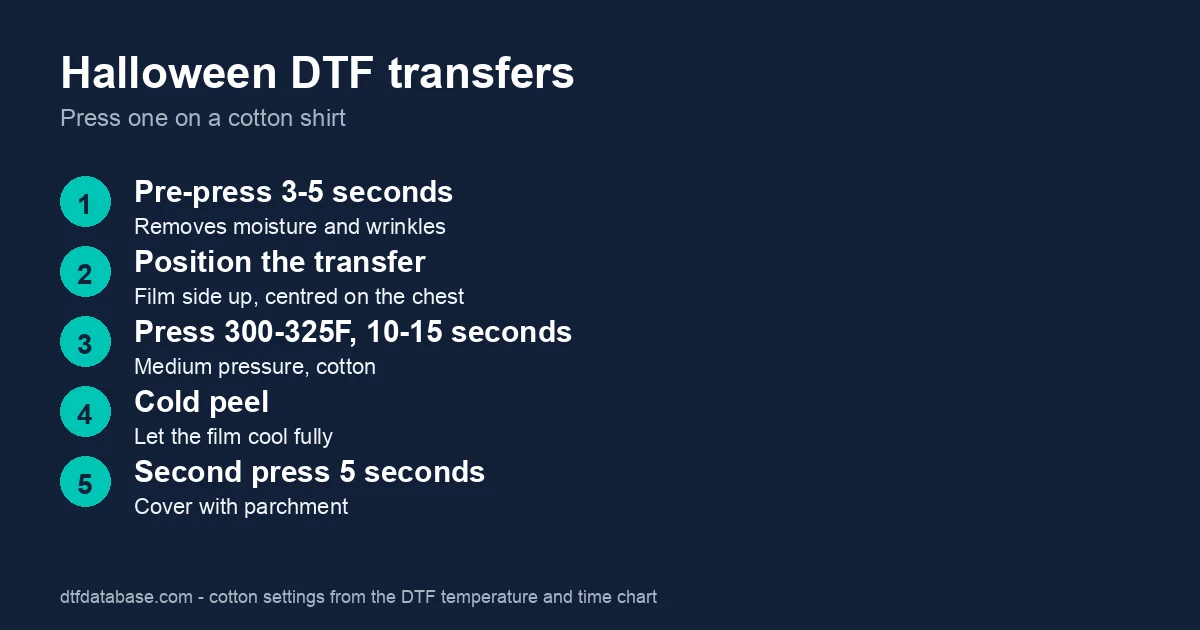
For cotton shirts, use the standard cotton settings:
- Pre-press the shirt for 3 to 5 seconds.
- Lay the transfer on the chest, film side up, centered.
- Press at 300 to 325°F for 10 to 15 seconds at medium-firm pressure.
- Let the film cool, then cold peel slowly.
- Cover with parchment and press for 5 to 10 seconds more.
Polyester costumes need less heat, 270 to 285°F for 10 to 12 seconds, and a light touch to avoid scorching. Check our guide on pressing polyester and the temperature and time chart. Follow your supplier's sheet if it differs. The placement guide shows where to put the print, and the beginner press tutorial walks through the steps.
Glow, glitter and other special finishes
Some suppliers sell glow-in-the-dark and metallic films. Ask the supplier for its temperature and peel instructions, as special films often differ from standard DTF. Test one shirt before you press a full order.
How early should you order?
Order custom transfers as early as you can. Production and shipping can take from a few days to over a week, and shipping near a holiday is slower. Use fast wholesale heat transfer suppliers for rush jobs, and check the holiday shipping deadlines guide for the season. If you miss the date, order ready-made designs that ship from stock.
Frequently asked questions
Where can I buy Halloween DTF transfers?
Buy them from DTF transfer suppliers, which sell ready-to-press designs and print custom artwork on request. Compare turnaround and price before you order, and check shipping time against your date.
Can I press Halloween DTF transfers at home?
Yes, with a heat press. A 15 by 15 inch press handles most adult shirts, and a household iron is not recommended because it cannot hold even heat and pressure. Follow the cotton settings of 300 to 325°F for 10 to 15 seconds.
Do Halloween DTF transfers work on dark shirts?
Yes. DTF prints a white underlayer, so colors stay bright on black and other dark shirts. This makes it better than many other methods for orange and white Halloween artwork.
How long do Halloween DTF prints last?
A correctly pressed DTF print lasts through many washes. Wash inside out in cool water, tumble dry low and avoid fabric softener. A print that peels at the edge usually needed more heat, time or pressure.
Can I make custom Halloween transfers from my own design?
Yes. Export your design as a transparent PNG at the final print size, around 300 pixels per inch, and upload it to a supplier. Our Canva shirt design guide shows how to export it correctly.
Tags
About the Author
DTF Database Founder
Darrin DeTorres has over 10 years of experience in the print industry, specializing in screen printing, sublimation, embroidery, HTV, and DTF printing. He runs Notice Me Marketing and Media, a custom apparel production company that prints thousands of shirts per month.
More from Tutorials
Learn Canva shirt design step by step: size your canvas, export a transparent PNG, and get custom shirts print-ready for DTF transfers.
Explore DTF Database
Browse and compare 20+ verified DTF printer models by price, features, and specifications.
Read moreCalculate your per-print costs, profit margins, and ROI for DTF printing.
Read moreBrowse verified DTF suppliers for ink, film, powder, and equipment.
Read moreFind DTF transfer suppliers shipping to your state, with verified turnaround times.
Read moreMetro-level DTF supplier guides for Los Angeles, NYC, Dallas, Houston, and more.
Read moreStep-by-step guide to the DTF printing process with temperatures and troubleshooting.
Read more