
Design and Print a T-Shirt: Step-by-Step DTF Guide
How to design and print a t-shirt: set the canvas, export a print-ready file, order a DTF transfer, press it and make the print last through washing.
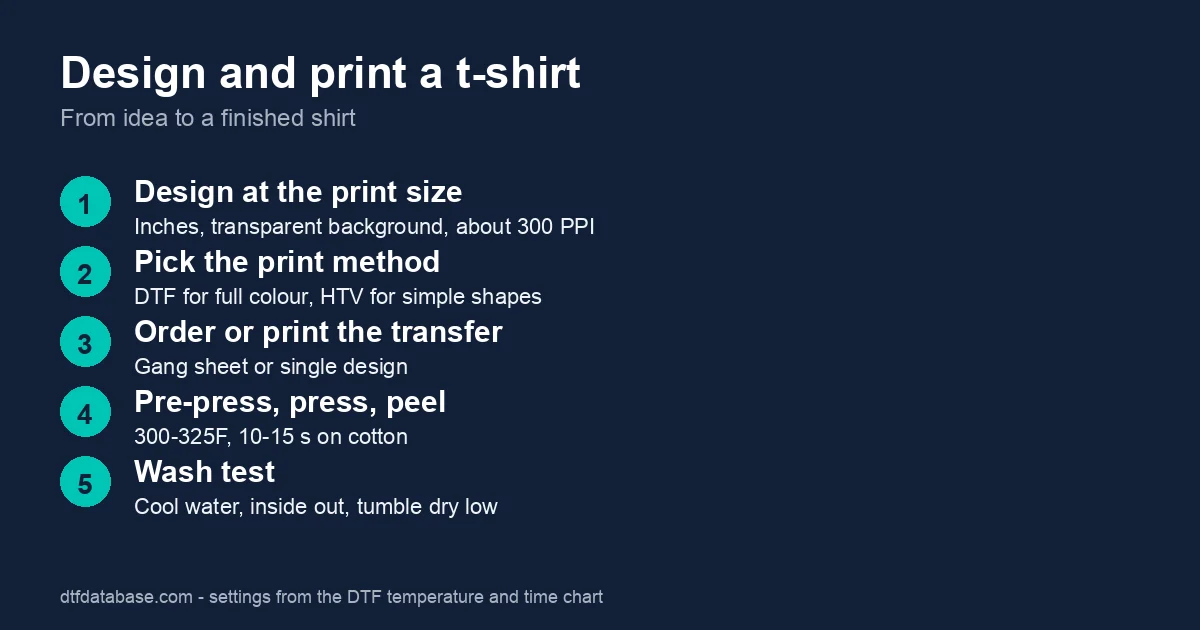
How do you design a t-shirt for printing?
To design a t-shirt for printing, set the canvas to the size the print will be, in inches, and work at about 300 pixels per inch. Use a transparent background, keep text large and avoid thin lines and soft shadows, which print poorly on fabric. Export the finished art as a PNG. Check the colors against a screen and a proof before you order.
Step 1: Design at the print size
Decide where the design goes and how large it is. Typical adult sizes are 11 to 12 inches wide for a full front and 3.5 to 4 inches for a left chest, as listed in our placement size chart. The placement calculator draws any size on any shirt. Design in a tool you know: the Canva shirt design guide covers canvas size and export, and free design software for DTF lists alternatives. Prepare the file with the DTF file prep guide.
Step 2: Choose the print method
| Method | Best for | Notes |
|---|---|---|
| DTF transfer | Full color, photos, small and mid orders | Works on cotton and polyester; no setup fee |
| Heat transfer vinyl | Names, numbers, one-color logos | Cheap; no photos |
| Screen printing | Large runs, 1 to 3 colors | Setup fees; best above a few hundred shirts |
| Iron-on paper | One-off home projects | Shorter life |
For most people designing one to a few hundred shirts, DTF is the best choice. See heat transfer t-shirts for the methods side by side, and the HTV vs sublimation vs DTF comparison.
Step 3: Choose the blank and order the transfer
Choose a blank that suits the fabric and price: a Gildan 5000 is the budget standard, and a Bella+Canvas 3001 is softer. Upload the PNG to a DTF supplier, or lay several designs on a gang sheet with the gang sheet calculator. A transfer costs about $0.05 to $0.10 per square inch at small volumes, as in our affordable custom t-shirts guide.
Step 4: Press the shirt
- Pre-press the shirt for 3 to 5 seconds to remove moisture and wrinkles.
- Place the transfer, film side up, where you want it.
- Press at 300 to 325°F for 10 to 15 seconds at medium-firm pressure.
- Let the film cool, then cold peel slowly.
- Cover with parchment and press for 5 to 10 seconds more.
These are the standard cotton settings; follow your supplier's sheet if it differs, and use the temperature and time chart for other fabrics. A household iron is not recommended for DTF. If you are new to the press, read the beginner heat press tutorial.
Step 5: Wash test
Wash the first shirt before you print more. Turn it inside out, wash in cool water, tumble dry low and skip fabric softener. If an edge lifts, press again with parchment. The DTF care guide covers the details.
What does it cost to design and print a t-shirt?
A single shirt made with a DTF transfer usually costs $7 to $12 with the blank included, and $5 to $10 each for 100 to 500 shirts, according to our method comparison. Use the cost calculator for your own numbers, and see bulk custom t-shirt pricing for group orders.
Frequently asked questions
What size should a t-shirt design be?
For an adult tee, a full-front design is typically 11 to 12 inches wide, and a left-chest logo is 3.5 to 4 inches wide. Scale down for youth and small sizes.
What file format is best for t-shirt printing?
A transparent PNG at the final print size and about 300 pixels per inch. Avoid JPEGs with a white background and low-resolution images that were enlarged.
Can I print a t-shirt at home without a heat press?
A heat press gives the even heat and pressure that DTF needs. A household iron is not recommended, and results vary. For one shirt, you can order a finished shirt from a print shop instead.
How long does a printed t-shirt last?
A correctly pressed DTF print survives many washes. Wash inside out in cool water, tumble dry low and skip fabric softener to get the most from it.
What is the cheapest way to print a t-shirt?
For a few shirts, heat transfer vinyl or a DTF transfer at home. For hundreds in one to three colors, screen printing. Our cost ranges show where each wins.
Tags
About the Author
DTF Database Founder
Darrin DeTorres has over 10 years of experience in the print industry, specializing in screen printing, sublimation, embroidery, HTV, and DTF printing. He runs Notice Me Marketing and Media, a custom apparel production company that prints thousands of shirts per month.
More from Tutorials
Learn Canva shirt design step by step: size your canvas, export a transparent PNG, and get custom shirts print-ready for DTF transfers.
Explore DTF Database
Browse and compare 20+ verified DTF printer models by price, features, and specifications.
Read moreCalculate your per-print costs, profit margins, and ROI for DTF printing.
Read moreBrowse verified DTF suppliers for ink, film, powder, and equipment.
Read moreFind DTF transfer suppliers shipping to your state, with verified turnaround times.
Read moreMetro-level DTF supplier guides for Los Angeles, NYC, Dallas, Houston, and more.
Read moreStep-by-step guide to the DTF printing process with temperatures and troubleshooting.
Read more